
Skip to Content
Skip to Footer
  • Login
XFT GmbH Logo XFT GmbH XFT GmbH Logo XFT GmbH
Notifications

No current notifications

  • Home
  • Search
Close

XFT Customizing Center – import

Follow these steps to import the XFT Customizing Center to your System:

Download the correct file from XFT Customizing Center and extract the XML File. Verify that the XML File matches the version of your XFT add-on version

Logon to your SAP System via SAP Gui and start Transaction /n/XFT/CAC_CUS02
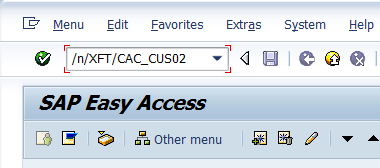
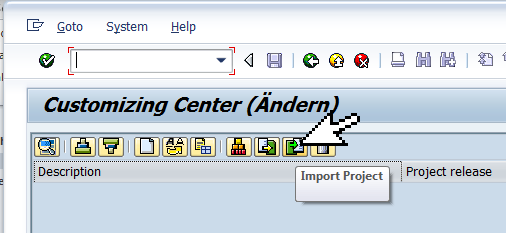
Look for the [Import Project] button and click on it to start the import process.
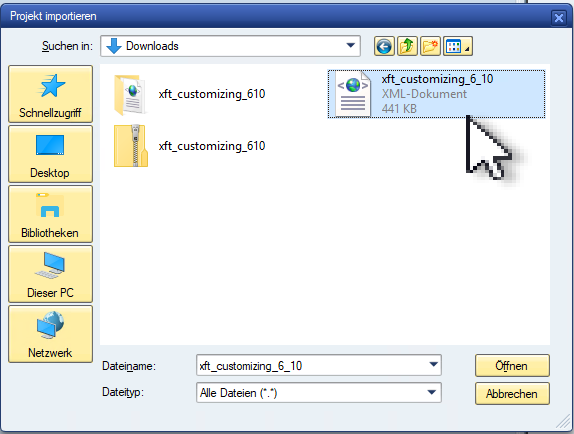
Select the extracted XML file and click Open.
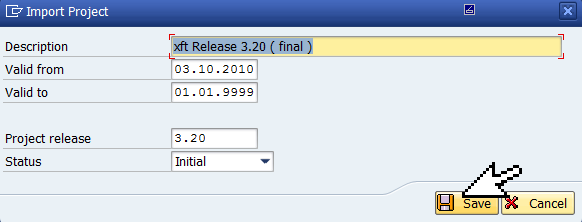
confirm the import by clicking the [Save] button. There is usually no need to change any of the shown settings.
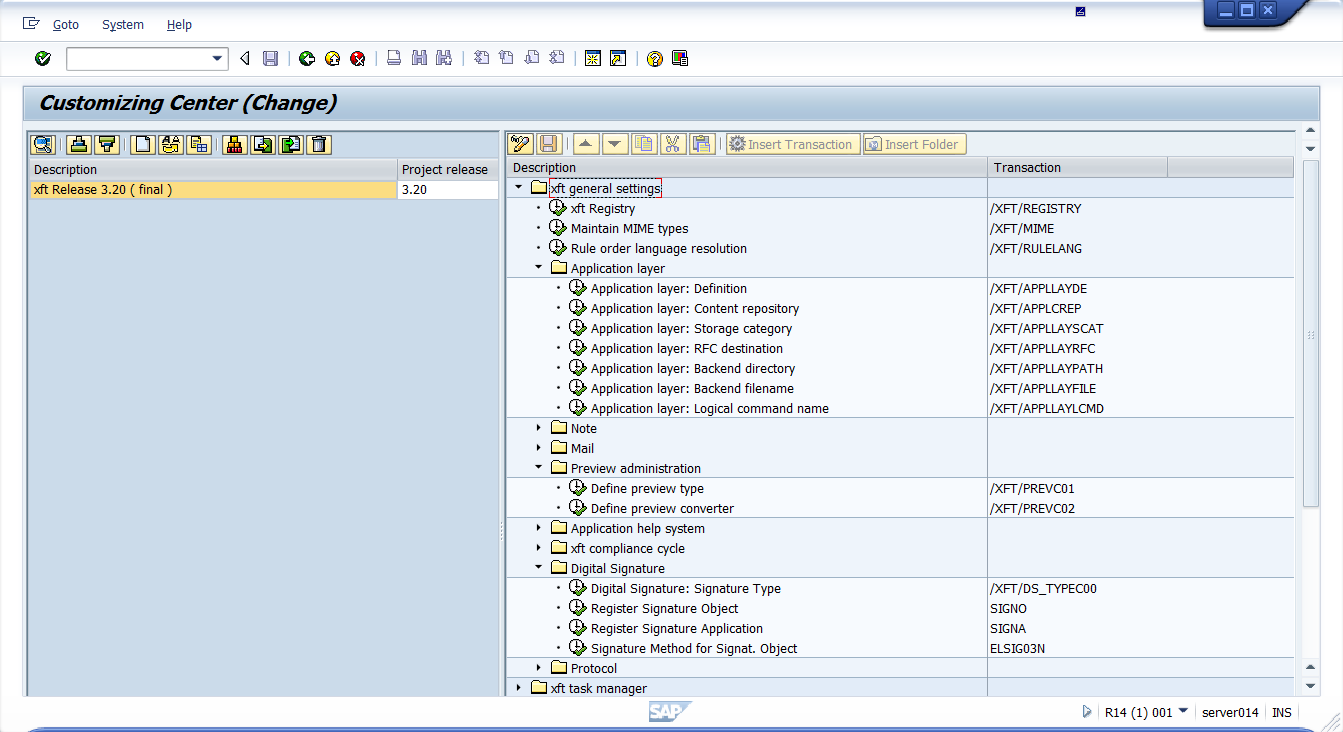
Display Customizing Project by doubleclick.
contact us
phone us

Contact

  • +49 6227 54555-0 Phone number: 4 9 6 2 2 7 5 4 5 5 5 0
  • +49 6227 54555-44 Fax number: 4 9 6 2 2 7 5 4 5 5 5 4 4
  • hello [at] xft [dot] com Email address: hello@xft.com
  • Postal address: Altrottstr. 31
    69190 , 6 9 1 9 0 Walldorf
    Germany
Visit XFT Germany

www.xft.com

Visit XFT USA

www.xft.com/en

Feedback

For feedback or information request fill out this form.


LinkedIn
  • more XFT
  • Imprint
  • Data Privacy
  • Cookies

© 2026 XFT GmbH. All rights reserved.

Top

Contact and Feedback

Cookies


We use cookies on our website. Some of them are essential, while others help us improve this site and your experience

Essentials Show cookies Hide cookies

Essential cookies enable basic functions and are necessary for the proper function of the website.
Accept all
Save
Reject